
Most schools, colleges and coaching institutes still run on a mix of registers, Excel sheets, printed fee slips and WhatsApp groups. It works — until admissions open, exams come round, or a parent asks why their child's fee receipt is missing. That is exactly when an institute management system pays for itself.
This guide explains what the software actually does, which modules are worth having, and what to check before you choose one.
Signs your institute is ready for software
- Admission season means long queues and forms that get lost or filled incorrectly.
- Nobody can say, in a minute, how much fee is still pending this month.
- Attendance lives in paper registers that are hard to total or share with parents.
- Timetables are rebuilt by hand every term — and teachers still end up double-booked.
- Results and notices are typed again and again for every class.
If two or more of these sound familiar, the time you spend on paperwork is already more expensive than a good system.
The modules that matter
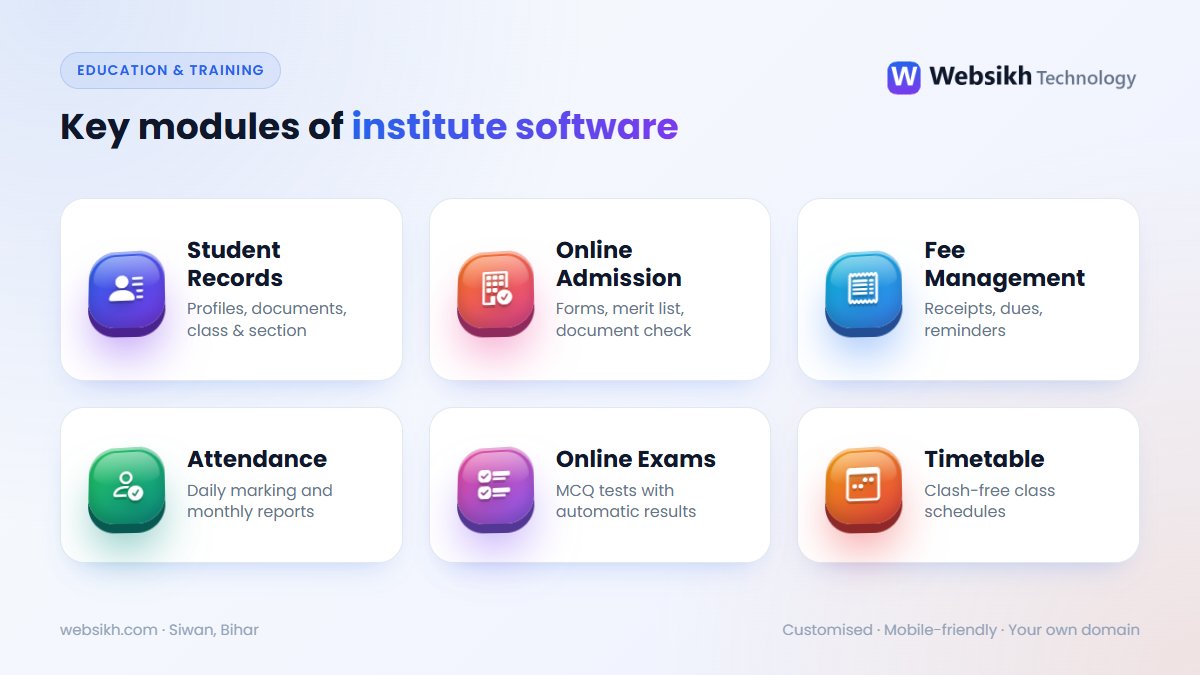
1. Student and staff records
Everything starts with clean records: student profiles, guardian details, documents, class and section. A Student Management System keeps this in one searchable place, and a Teachers Record Management System does the same for qualifications, subjects and service history.
2. Online admission
Let students apply from their phone, upload documents and track their application. Colleges can publish merit lists and verify documents online with a College Admission Management System — no more counters crowded with forms.
3. Fee management
Fee collection is where most institutes lose time and money. A fee management system prints receipts instantly, shows pending dues by class or course, and can send reminders before the due date.
4. Attendance, exams and results
Daily attendance with monthly reports, plus an Online Examination System for MCQ tests with automatic results. Teachers save hours of checking, and students get results the same day.
5. Timetable and subject allocation
A Time Table Generator builds clash-free schedules from teachers, subjects and periods, while a Teacher Subject Allocation System keeps workloads fair.
Beyond schools: coaching, academies and training centres
The same building blocks work for any institute. Study centres use a Study Center Management System for seats and monthly plans; sports academies use a Cricket Academy Management System; driving schools, yoga and dance classes all need registration, batches and fee tracking.
Checklist before you choose
| Check | Why it matters |
|---|---|
| Works well on mobile | Parents and students will mostly use phones. |
| Separate logins and roles | Admin, teachers and students should only see what they need. |
| Your own domain and data | The system should run on your hosting, with your data under your control. |
| Printable receipts and reports | Audits, parent meetings and management reviews still need paper. |
| Local support | Someone who can answer a call when admissions are at their busiest. |
How Websikh sets it up
- Understand your process — classes, courses, fee structure and reports you already use.
- Customise — your logo, fields, user roles and receipt format.
- Go live — installed on your domain and hosting, with staff training.
Explore all Education & Training systems — or tell us how your institute works and get a free quote for a system built around it.
Frequently asked questions
Is school management software only for big schools?
No. Small schools, coaching centres and single-branch colleges often benefit the most, because the same few people handle admissions, fees and records. Start with the modules you need and add more later.
Can parents and students use it on their phones?
Yes. The system is mobile-friendly, so parents can check fees and attendance and students can see results, notes and timetables from any phone.
Will our existing student data be lost?
No. Existing records from Excel sheets can usually be imported during setup, so you do not have to type everything again.
How long does setup take?
Because we start from a ready system, a typical setup with your branding and fee structure takes days to a few weeks, depending on how much customisation you need.


